


FAQ
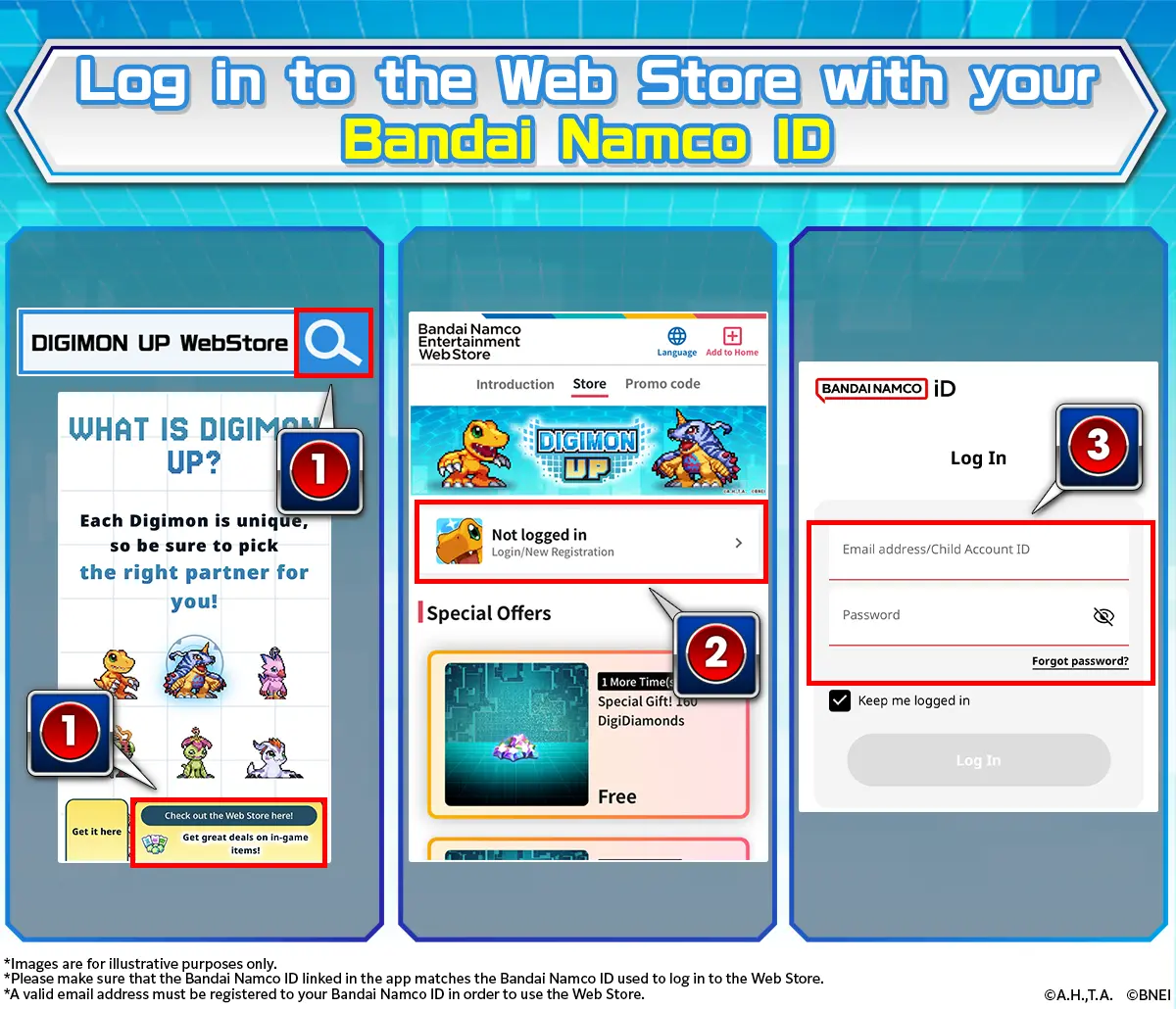
Q.I cannot access the Web Store.
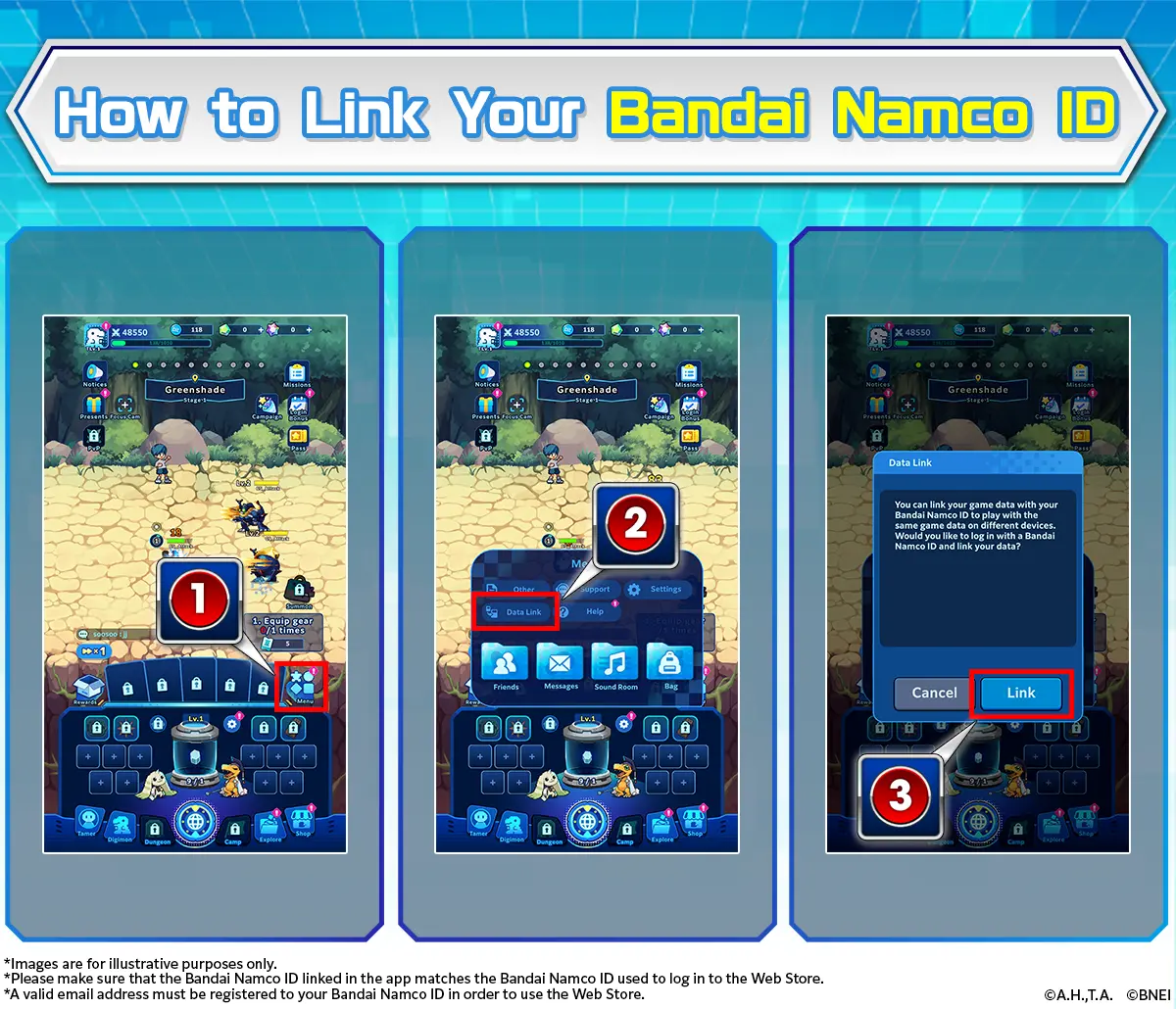
Your Bandai Namco ID may not be linked in the app.
Make sure you've selected the option to link Bandai Namco ID on the Data Link page.
Data link procedures can be proceeded as follows:
Menu > Data Link
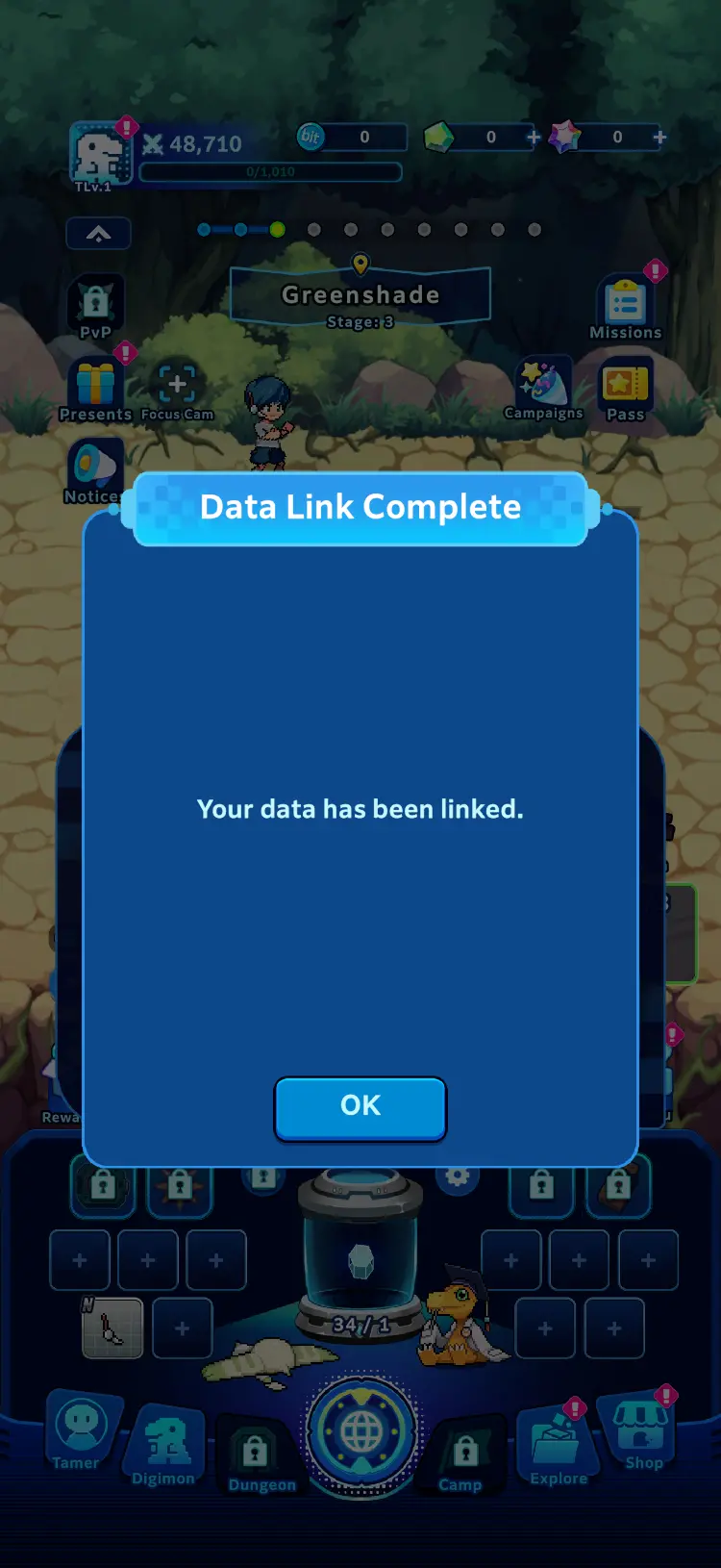
Once your Bandai Namco ID has been linked, this screen will appear.
Q.Purchased and exchanged items are not appearing in the game.
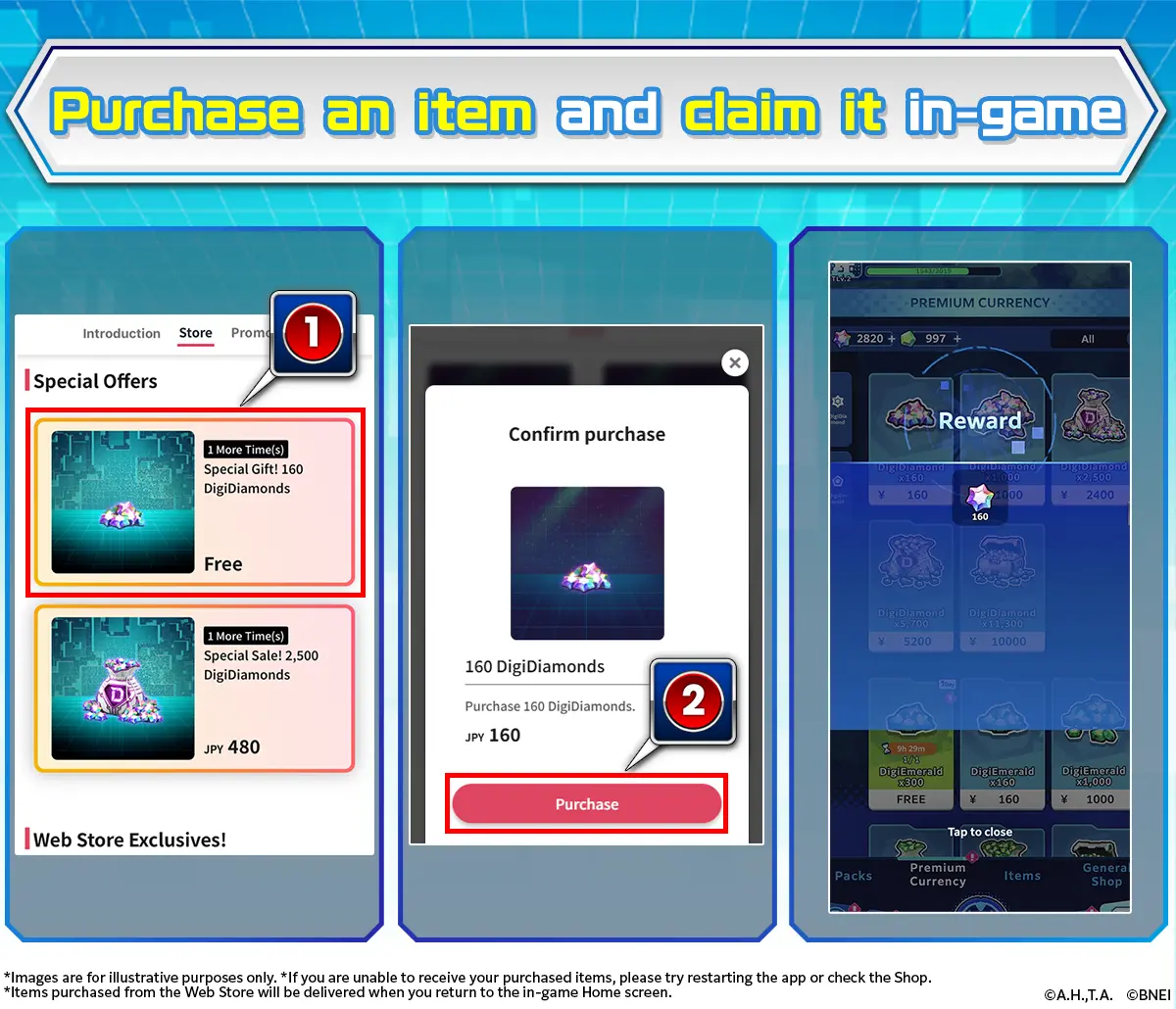
After purchasing or exchanging for items on the Web Store, the items will be claimed automatically when you go to the app's home screen.
DigiEmeralds and DigiDiamonds will be added directly to your inventory.
In the event they do not appear, please restart the app.
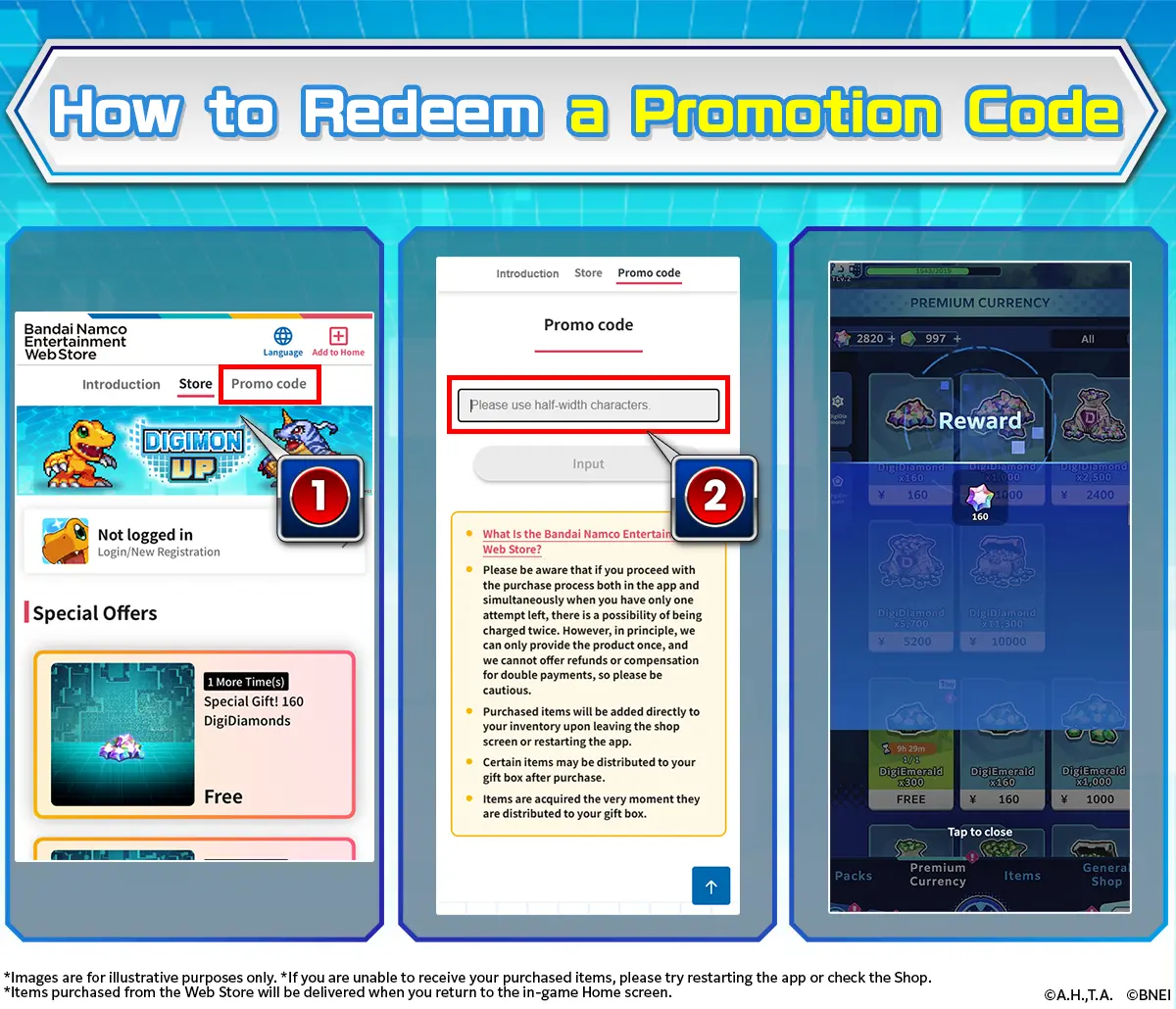
Q.I don't know how to enter my promotion code.
In order to use the promotion code, please choose the "Enter Promotion Code" shown on your screen. Similar to purchasing items, you will need to log in with your Bandai Namco ID and input the code.
We will be announcing promotion codes in the future, so look forward to it!
Q.Items are not displaying on the Web Store.
In the event that the age registered to the Bandai Namco ID is under 18, that player will not be able to purchase items from the Web Store, and purchasable items will not appear.
- *Players 18 and under will still be able to enter promotion codes and redeem other items outside of purchases.
Q.What types of payment methods are available?
The following payment methods are available for the Web Store:
- Apple Pay
- Credit Card
- PayPay
- Google Pay
- PayPal
- Convenience Store
- Amazon Pay
For any other inquiries about the Web Store, please refer to the FAQ website below:
https://bnfaq.channel.or.jp/title/3145
- *Information may vary depending on country and region.
- *Access is restricted to some countries.
- *Some items on the Web Store have purchase limits.